Pour in notes
Paste cards or import a two-column TSV with friendly validation and clear error messages.
 KopiQuiz
KopiQuiz for macOS
KopiQuiz
Paste or import TSV flashcards, save decks, study in a calm self-check flow, and clear missed cards when you get them right.
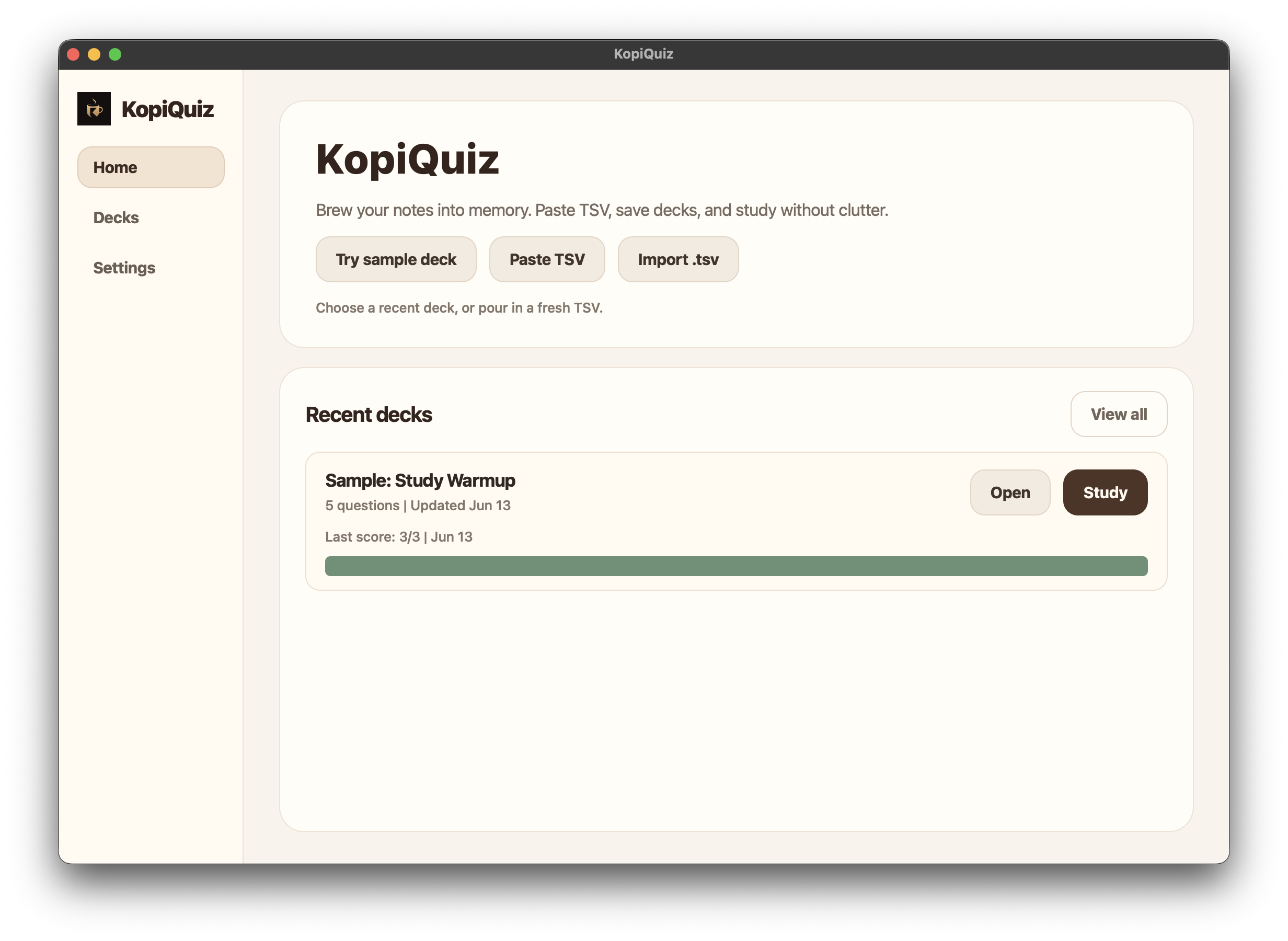
KopiQuiz keeps the ritual simple: pour in your notes, brew a session, check yourself, and return only to what still needs another pass.
Feature highlights
Paste cards or import a two-column TSV with friendly validation and clear error messages.
Search, study, open, edit, rename, export, or delete decks without turning study into admin work.
One question at a time, large text, a single reveal action, then right or wrong.
Missed cards stay visible until you retry them and mark them right.
Only small switches: shuffle automatically and reverse question direction.
Study quickly with Enter, 1, 2, Esc, and Cmd+O for importing files.
Actual app screens
From saved decks to a clean result screen, KopiQuiz keeps every step quiet, obvious, and close to the deck in front of you.
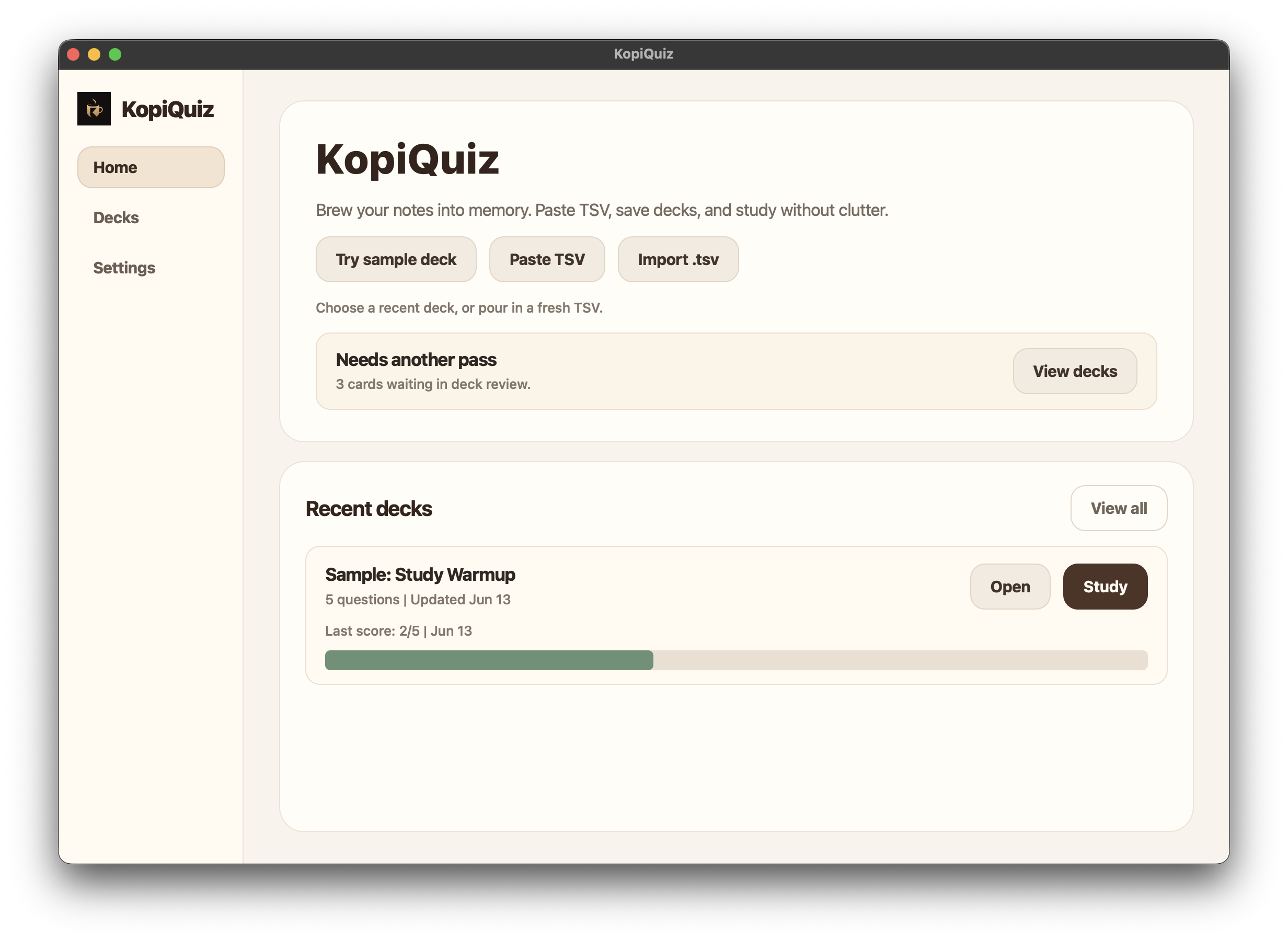
Review
Home surfaces missed cards only while they are unresolved, then gets quiet again.
Interactive preview
cards.tsv
question	answer
What is the capital of Japan?	Tokyo
Which planet is known as the Red Planet?	Mars
What is 9 x 6?	54
Question 1 of 3
Self-check first. Score comes after you decide.
How studying works
Use TSV from a spreadsheet, notes app, exported study list, or anything that can make two columns.
Open a saved deck, start quickly, and let shuffle keep the order fresh.
Think first, reveal the answer, then mark right or wrong.
Wrong cards remain in review until you get them right.
Why it feels better
KopiQuiz removes the parts that make flashcard apps feel heavy. The interface keeps one question in front of you, remembers unresolved misses, and gets out of the way between cards.
No gamified clutter, crowded dashboards, or achievement noise.
Your decks, progress, and missed-card queue stay on your Mac.
Clear validation, simple labels, and obvious next actions.
Rename, edit, export, delete, and review actions stay close to each deck.
Choose your brew
KopiQuiz is not trying to replace Anki, Quizlet, or every AI study platform. It is for the moment when you already have your own notes and want to pour them into a calm, private Mac quiz.
Trust and privacy
KopiQuiz does not need the internet, an AI API, or a user account. Decks, settings, progress, and missed-card review are stored locally on your Mac.
889ca8c1f41083677e3a91b918e075566a8d20714737373b9297d34ac3274423
Install
Click Download for macOS and save the standalone zip to your Mac.
Open the zip file, then move KopiQuiz.app to Applications if you want it there.
If macOS blocks the local beta, right-click KopiQuiz.app and choose Open.
This local beta is not notarized yet. A public release should be signed with an Apple Developer ID and notarized by Apple so the first launch feels normal.
SHA-256 is listed in the download details. Recompute it after every rebuild, because even a tiny packaging change creates a new checksum.
Made for
Turn spreadsheet notes into a focused quiz before an exam.
Practice vocab, phrases, and definitions without extra setup.
Check product facts, scripts, terminology, or internal knowledge.
Independent software
KopiQuiz is designed, built, and maintained as a focused macOS study app with a simple promise: keep your cards clear, private, and easy to review.
Found a bug or have a feature request? Email Ace. I read every message, and I reply when I can.
Roadmap
Developer ID signing and notarization for a smoother public install.
Clearer last-score and missed-card signals without turning study into a dashboard.
A calm review schedule for missed cards and long-term memory.
Questions
The first row should be exactly two columns: question and answer. Empty rows are ignored.
No. KopiQuiz uses a clean self-check flow: think, reveal, then mark right or wrong.
No. KopiQuiz works offline and does not call an AI API.
Missed cards stay in review only until you retry them and mark them right. Deleted decks do not leave review cards behind.
This local build is not notarized yet. For a public release, it should be signed with an Apple Developer ID and notarized by Apple.
Current build
v1.0 beta, released June 13, 2026 for local testing and early feedback.
Save, rename, delete, edit, import, and paste TSV.
Auto shuffle, reverse direction, progress memory, and keyboard shortcuts.
Score screen, unresolved missed-card retry, local study memory, and calmer deck controls.
KopiQuiz for macOS
Download the current standalone build and start with your own TSV deck.
Local beta build. Public distribution should be Developer ID signed and notarized.
Privacy note
KopiQuiz stores imported decks, settings, study progress, and missed-card review locally on your Mac. The app does not require an account, does not need the internet, and does not send your TSV cards to an AI API.
If you email Ace for support, that message is handled through email like any normal support conversation. The app itself does not upload your study data.